
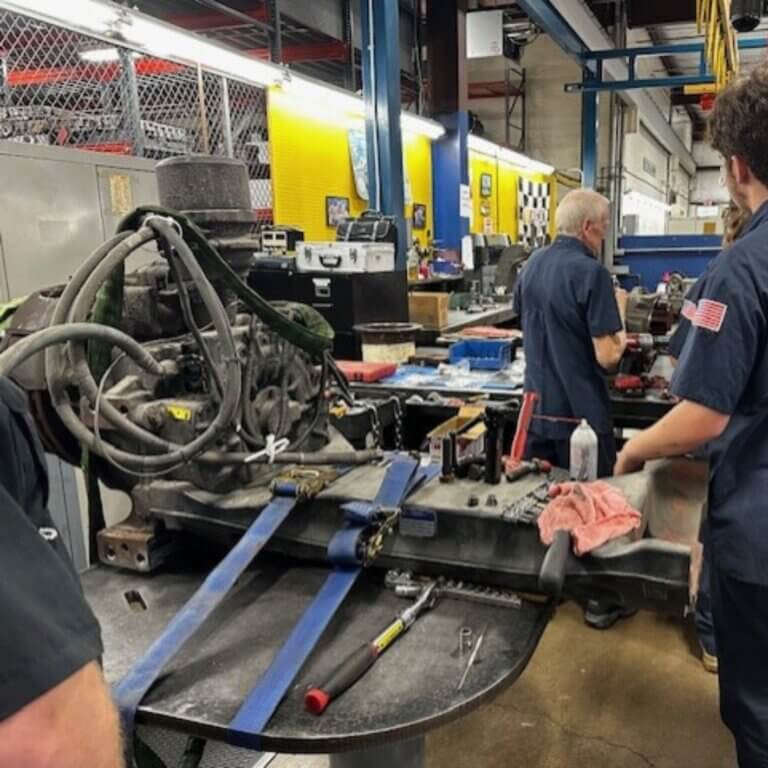
A transmission that’s slipping, hunting for gears, or throwing a fault code doesn’t fix itself, and running it another shift usually turns a contained problem into a torn-up gearset or a scored input shaft. Heavy-duty transmission diagnostics is how we find out which one it is before that happens — not a guess based on symptoms, but a documented process using live parameter data, load simulation, and, on ZF units, ZF-TESTMAN software to isolate the actual failure point.
This isn’t the same as pulling a generic code reader off a shelf. A powershift transmission running a crane, a paver, or a transit bus is managing clutch packs, torque converter lockup, and a computerized control unit constantly adjusting shift points under load — problems hide in that complexity in ways a basic scan tool won’t catch. Below is why heavy-duty equipment needs a different diagnostic approach, the warning signs that should send you to us instead of the parts counter, and what our ZF-TESTMAN process checks that a fault code alone can’t tell you.
Why Heavy Duty Transmissions Need More Than a Basic Diagnostic Tool
A crane cycling a load all day, a wheel loader shifting direction every few seconds, or a transit bus running stop-and-go routes puts a transmission through duty cycles a passenger vehicle never sees. The control ZF units in ZF Ecomat, Ecolife, and AS Tronic units — along with Allison and Dana/Spicer platforms we service across this equipment — are constantly adjusting line pressure, shift timing, and torque converter lockup in response to that load in real time.
That’s why real heavy-duty transmission diagnostics reads live parameters — line pressure trends, solenoid response times, torque converter slip percentage — instead of just pulling a stored code. Two units can throw the identical code for entirely different underlying reasons once you’re looking at equipment built for continuous heavy load rather than a commute.
Warning Signs You Need Heavy Duty Transmission Diagnostics
These are the failure mechanisms we see most often before a unit comes off the road or the job site. Any one of them on its own is worth a diagnostic before it’s worth a repair estimate.
Clutch Pack Slipping Under Load
A unit that shifts fine empty but slips or flares under a loaded cycle usually points to worn clutch packs or a pressure regulation problem — not something a visual inspection catches, but something live pressure data isolates immediately.
Delayed or Harsh Shift Engagement
A shift that’s late, harsh, or inconsistent between forward and reverse is often the TCU compensating for a developing mechanical issue — a sticking valve, a degrading solenoid, or clutch wear the control unit is already adjusting around.
Torque Converter Lockup Failure
If lockup won’t engage, won’t hold, or cycles in and out on its own, that’s a specific failure point — a lockup solenoid, a control circuit fault, or converter damage — that live data during diagnostics can isolate faster than a road test alone.
Contaminated or Overheated Fluid
Burnt-smelling or discolored fluid, or fluid running hotter than it should, points to friction material breakdown or a cooling system restriction. Left alone, this compounds fast — degraded fluid accelerates wear on every component it’s supposed to protect.
Active Fault Codes or Intermittent Dash Warnings
An intermittent code that clears on its own is often more useful diagnostically than a hard fault, since it can catch a problem while it’s still developing rather than after the unit has already derated or shut down.
Transmission Fault Codes: What They Do (and Don’t) Tell You
A stored code tells you a parameter was out of range at a specific moment — it doesn’t tell you why, and the same code can point to two or three different root causes. Four you’ll see most often on heavy-duty units:
- Low line pressure — the transmission isn’t building the hydraulic force it needs; could be a worn pump, a leaking clutch piston, or a failing regulator valve.
- High transmission temperature — the system is overworked, low on fluid, or not cooling properly, and often traces back to a restricted cooler line.
- Shift solenoid fault — a solenoid isn’t responding correctly, showing up as delayed, rough, or inconsistent shifts.
- Torque converter clutch fault — signals slipping, poor lockup engagement, or efficiency loss in the converter.
Reading transmission fault codes yourself is a reasonable first step — our guide on how to read transmission codes on heavy equipment walks through what each one means and how to pull it. But a code narrows where to look; it doesn’t replace live-data diagnostics, especially on intermittent faults that clear before anyone sees them.
ZF-TESTMAN Diagnostics: How We Test ZF Transmissions
For ZF units — Ecomat, Ecolife, AS Tronic, and the other ZF Off-Highway lines common in transit buses, cranes, and construction equipment — we run ZF-TESTMAN diagnostics, the same diagnostic software architecture used in ZF’s own production testing. As a ZF Off-Highway distributor, we keep ZF-TESTMAN on-site at both facilities, and we also make ZF-TESTMAN units available to fleets that want that same on-site diagnostic capability for their own shop.
ZF-TESTMAN gives us live parameter monitoring and load-simulated testing rather than a single stored-code readout, which is what lets us confirm a failure point instead of guessing between two or three possible causes. For non-ZF platforms — Allison, Dana/Spicer, WABCO-equipped braking and control systems — we draw on dealer-level diagnostic software and decades of hands-on failure-pattern experience across those specific product lines.
Transmission Repair vs. Rebuild vs. Remanufactured Exchange
Once we’ve isolated the failure point, the path forward depends on what’s actually damaged. A slipping clutch pack in an otherwise healthy unit is a targeted repair; a core with worn bearings, contaminated fluid history, or overheating damage usually calls for a full rebuild; a housing crack or a unit run dry is often better served by a remanufactured exchange unit built from our core inventory.
Whichever route it takes, the unit doesn’t ship until it’s been load-tested on one of our in-house dynamometers — you can read more about how we validate a transmission on the dyno after repair before it goes back into service.
Frequently Asked Questions
What does heavy duty transmission diagnostics actually involve?
Heavy-duty transmission diagnostics is a documented process combining live parameter monitoring, load-simulated testing, and, on ZF units, ZF-TESTMAN software — not just a stored fault code pulled from the dash, but data on pressure, shift timing, and torque converter behavior under actual load.
Can transmission fault codes tell me what’s wrong without a full diagnostic?
A code narrows down where to look, but the same code can point to several different root causes. It’s a useful starting point, not a substitute for live-data diagnostics, especially for intermittent faults.
What makes ZF-TESTMAN diagnostics different from a basic code reader?
ZF-TESTMAN reads live operating parameters and supports load-simulated testing using the same architecture ZF uses in its own production testing, rather than returning a single stored code.
How long does a heavy-duty transmission diagnostic take?
It depends on the unit, the equipment type, and what the initial data shows — contact us with the make, model, and symptoms and we’ll give you a realistic timeline for your specific situation.
Schedule a Diagnostic Before It Becomes a Bigger Repair
If you’re seeing warning signs that call for heavy-duty transmission diagnostics — slipping gears, an active fault code, or a shift pattern that isn’t right — reach out through our contact page. Give us the unit, the symptoms, and your timeline; our Colmar, PA (215-822-8300) and Fort Myers, FL (888-343-8912) shops both run the same ZF-TESTMAN diagnostic process, so you’ll get a straight answer no matter which one picks up.